Lynx Additive Particles
You are viewing an older version of this document
(Version 4). The latest is Version 6.
Last updated: 1 year ago • 6 versions | Visibility: Public
To add particles system inside your mixed reality experience, we provide a simple shader called Additive Particles.
Implement your material :
- Inside your material select the shader : Lynx/Unlit/AdditiveParticles.
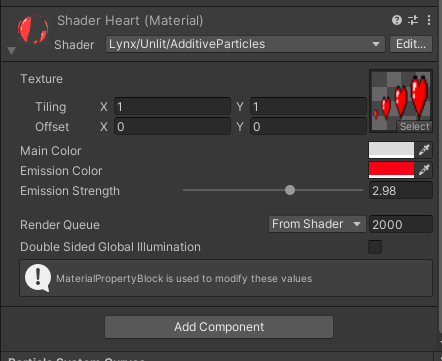
- Inside your material, you can set your Texture, the Main Color you want to apply. You can also set optionnally an Emission Color and the Emission strength applied.
- Don't forget inside your camera to apply a transparent black color.

If you want to play with transparency with your material:
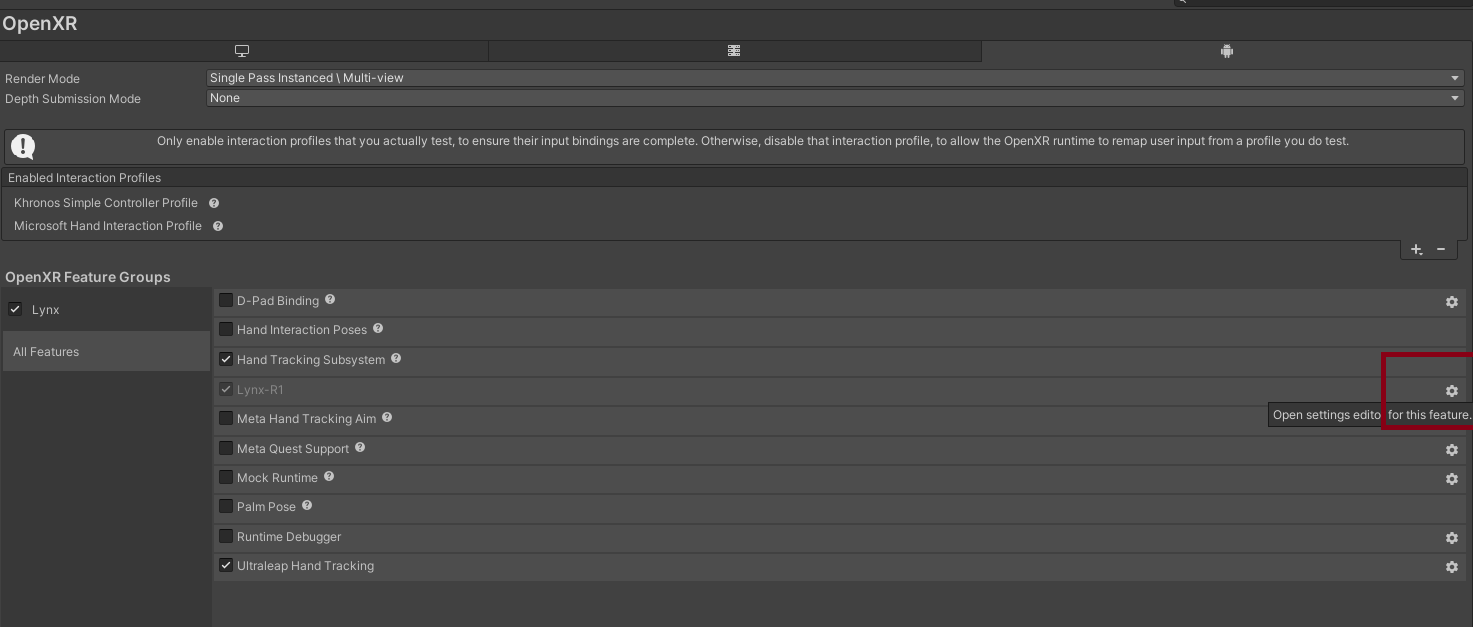
- Go to Project Settings/XR-Plugin Management/OpenXR
- Click on the settings option in Lynx-R1
- Enable the permission Enable Transparent Particles
-
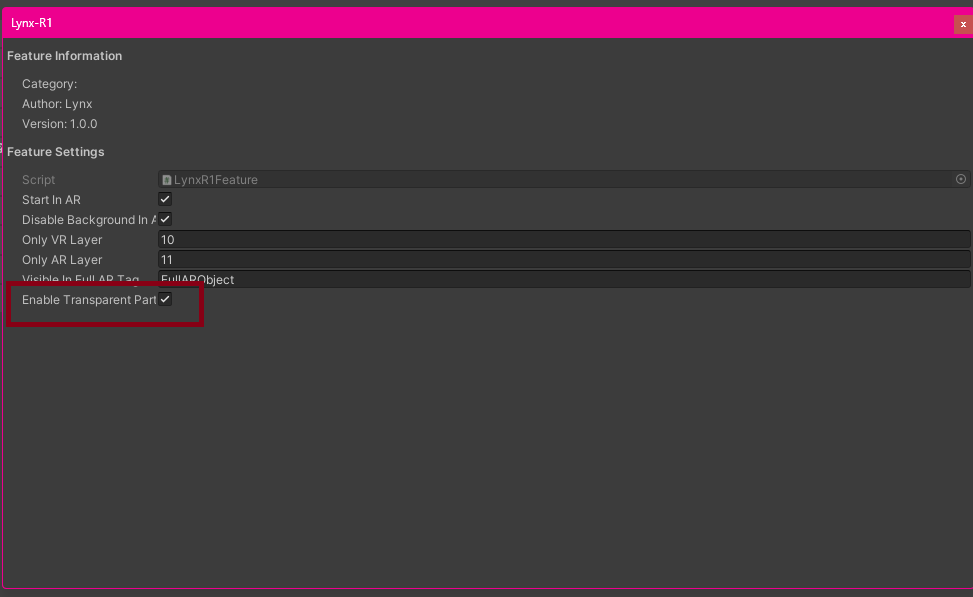
- Inside your material you can now edit the Alpha inside the Main Color. The transparency is calculated on the runtime with OpenXR, the transparency will show inside your headset.